

If you've tried to translate an online store on Tilda into other languages, you've definitely encountered limitations: buttons don't translate, prices are always in one currency, and applications arrive without localization.
Multify takes into account all Tilda's features and translates your online store into other languages in minutes.
Let's look at which specific translation aspects are considered during checkout.
🛍 Translation of Buttons and Cart Elements
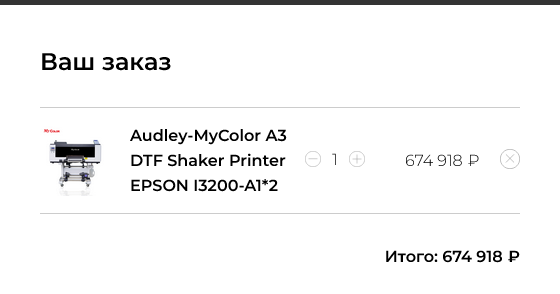
By default, Tilda translates some elements (for example, the "Buy Now" button or the word "Total") only into a limited number of languages built into the system. Armenian, Tajik, Azerbaijani are not on the list. The result: half of the site is in the desired language, while the buttons and cart are in Russian or English.
With Multify:
- The "Buy Now" button is manually translated into any language;
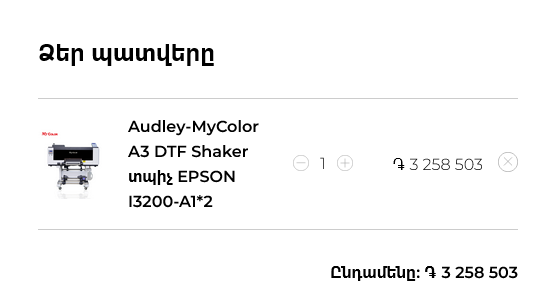
- The word "Total" is also manually configured and intercepted from JavaScript;
- Everything is displayed as needed, without editing HTML code.
📸 Example of product translation in the cart ("Total"):
💱 Price and Currency Conversion in the Cart
Prices in the Tilda catalog are set in only one currency (e.g., USD), while Multify:
- Translates the price into the desired currency (sum, dram, manat, etc.);
- Adds the correct currency symbol (to the left or right of the number);
- Displays the recalculated amount on the card.
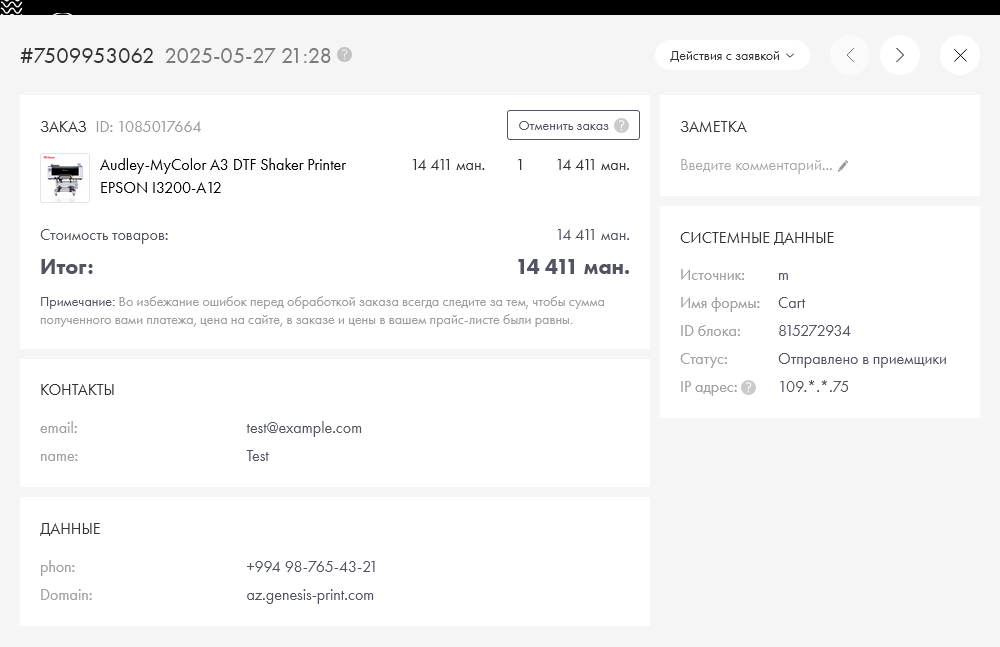
Thus, the client sees the correct price in their currency. For example:
📸 This is how an order looks on az.genesis-print.com (Azerbaijan):
📦 From where was the order placed?
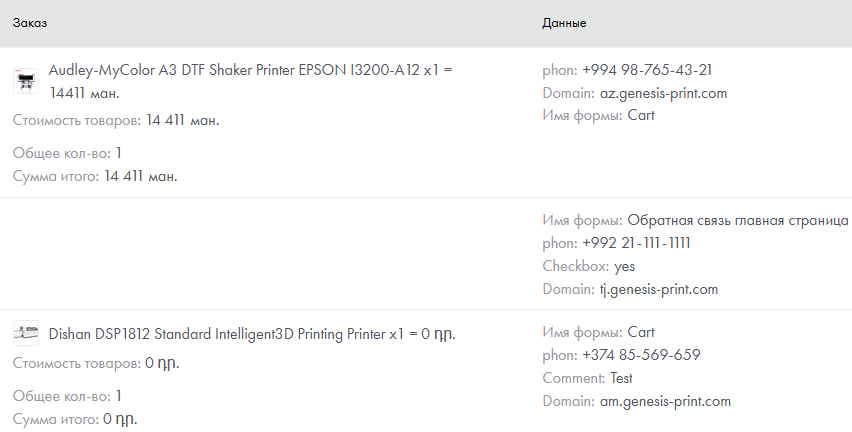
A field with the website domain from which the order was sent is automatically added to each application. This is especially important when one catalog works in several languages and currencies at once. You will always know:
- what language the client used;
- what currency was displayed;
- and where the order came from.
📸 In the order information, you can see which website the applications are from and the cost in currency:
🚫 Disabling Tilda's built-in price check
Tilda by default checks that the price specified in the form matches the price in the catalog. This works if you have one website and one currency. But when using Multify:
- The price is already converted, and, for example, $10 can turn into 9,850 sums or 4,600 drams;
- Tilda will consider this a mismatch and may block the application transfer.
📌 Therefore, Multify disables this check and takes over price management. You can add a manual check on the CRM or admin panel side if needed.
🎯 Why is this important?
- The client sees a clear price;
- The order is placed with the correct currency;
- Buttons and cart are translated;
- You always know which website the order came from.
✨ Multify transforms your Tilda store into a multilingual and multi-currency platform without workarounds.
📩 Want to implement it? Submit an application for connection. A demonstration of the service using your online store is provided free of charge.